
- Open Outlook.
- Click file.
- Under Account Information make sure the email that you want to fix is selected.
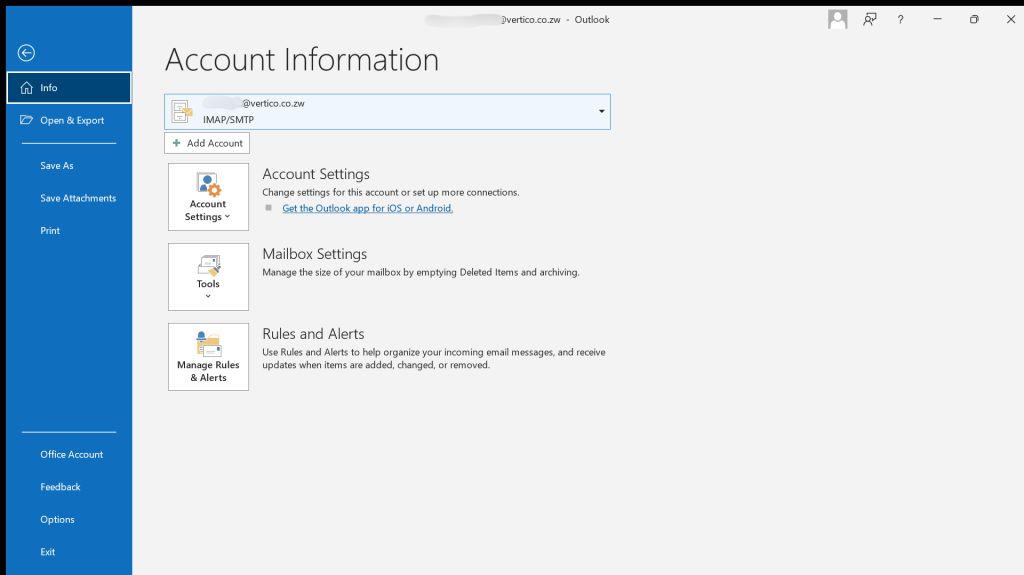
- Click the Account Setting Toggle and select “Account Settings” from the drop-down.
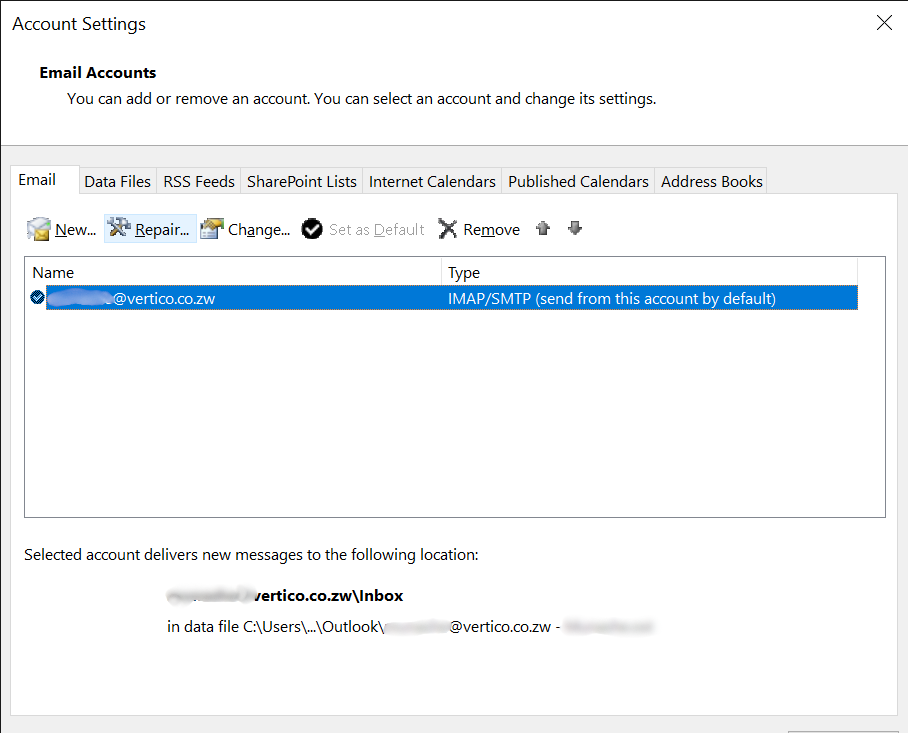
- An Account Setting popup will appear, select the email again and click “Repair”.
- Click Advanced Options and click “Let me repair my account manually” then click “Repair”.
- Make sure the email / username and password is correct.
- For incoming, the server should be mail.yourdomain.
- The port is 993 for incoming
- For outgoing, the server should be mail.yourdomain as well, and your port is 465.
- Encryption method is SSL / TLS for both incoming and outgoing.
- Click next, the system will update the email configurations and that’s it.
Your Outlook email platform will start syncing your emails.


