
- When facing challenges with receiving or sending emails via your Gmail App, first try to login to your email via webmail (check https://vertico.co.zw/docs/quick-email-access-via-webmail/ ). Test whether your emails are sending and if you are receiving emails from there. If yes, then move on to the next step.
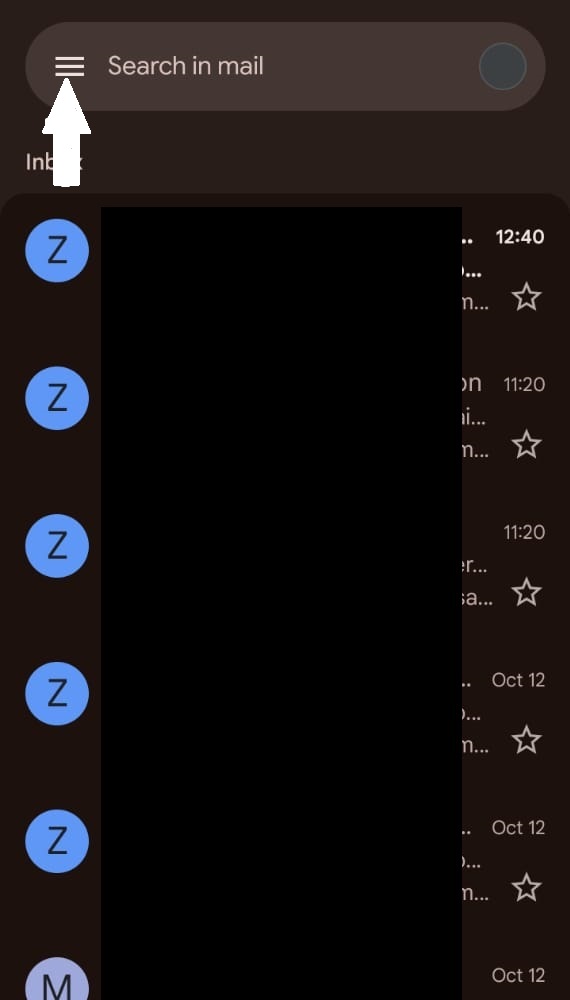
- Open your Gmail App and click on the Toggle to your left.
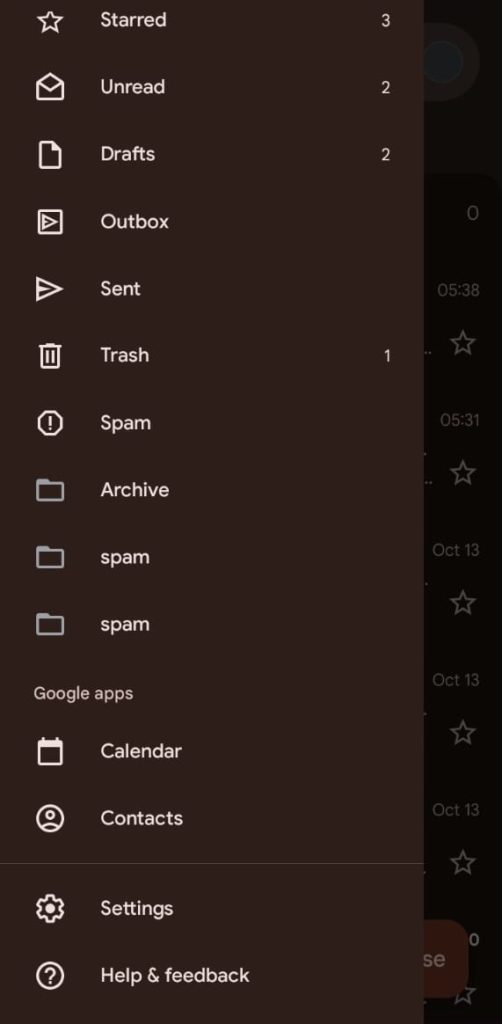
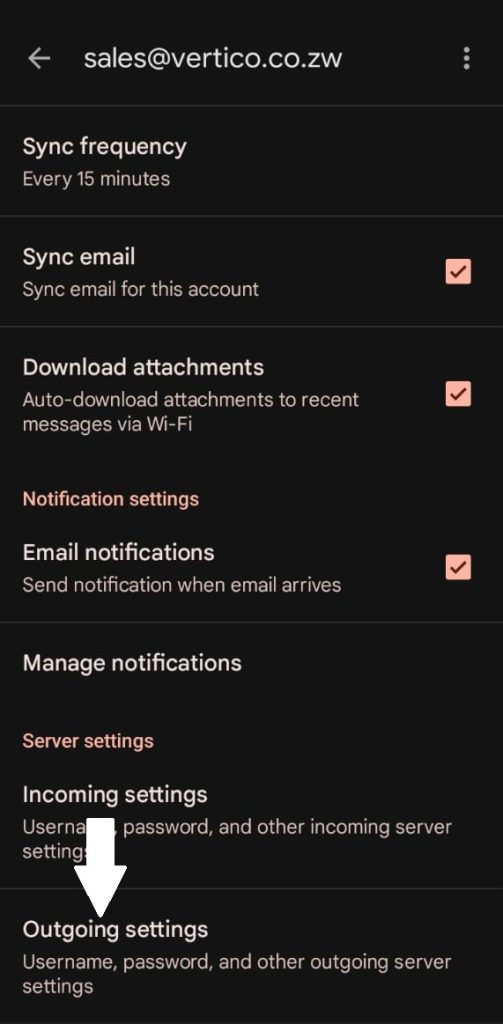
3. Click on Settings and then select the email account you want to access.
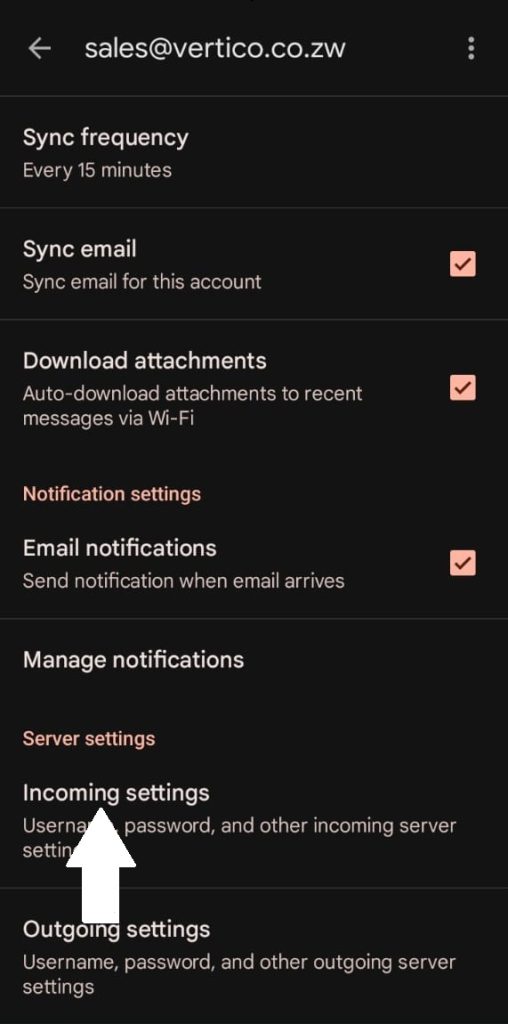
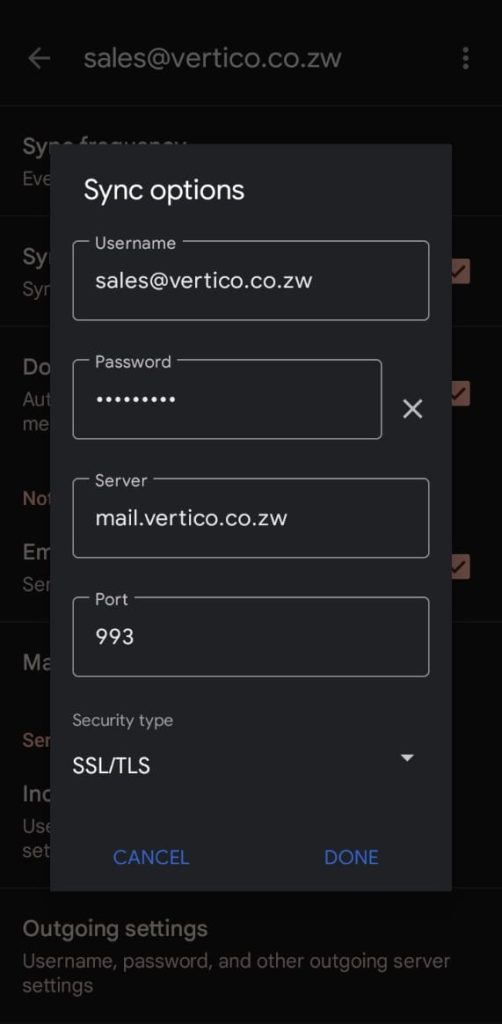
4. Select Incoming Settings and ensure that they are correct.
Server: mail.(yourdomain.co.zw)
Port: 993
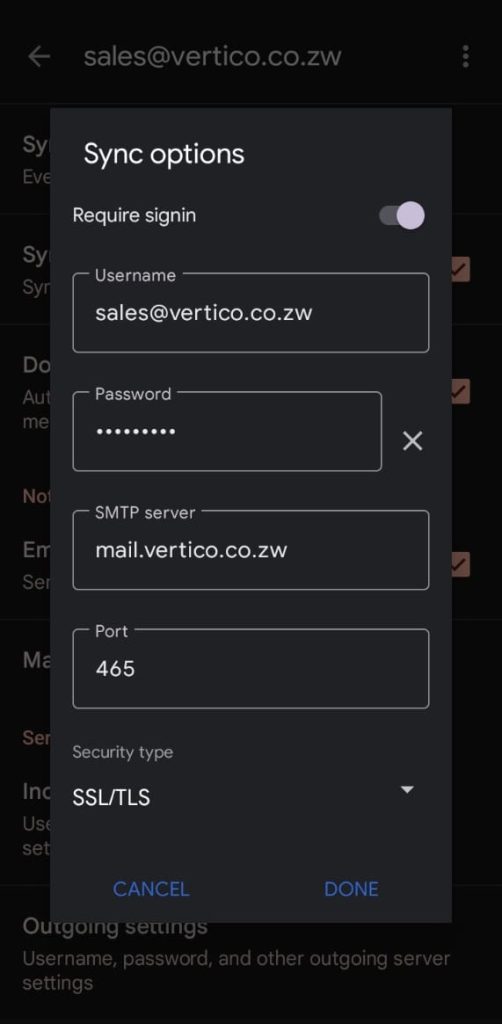
5. Select Outgoing Settings and ensure that they are correct.
Server: mail.(yourdomain.co.zw)
Port: 465
Once you have ensured that all the settings are correct, test if the email is now working.


