
- Login to your mail box (yourdomain.co.zw/webmail)
- On the left panel Click Settings.
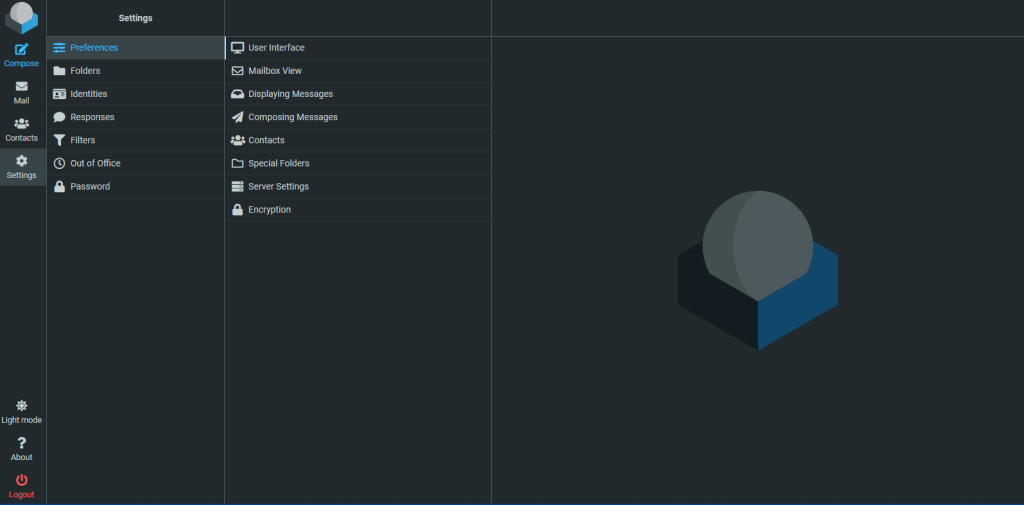
3. Under settings, click identities.
4. Click your email address that appears on the right panel.
5. Enter your display name and your signature information on the far right panel.
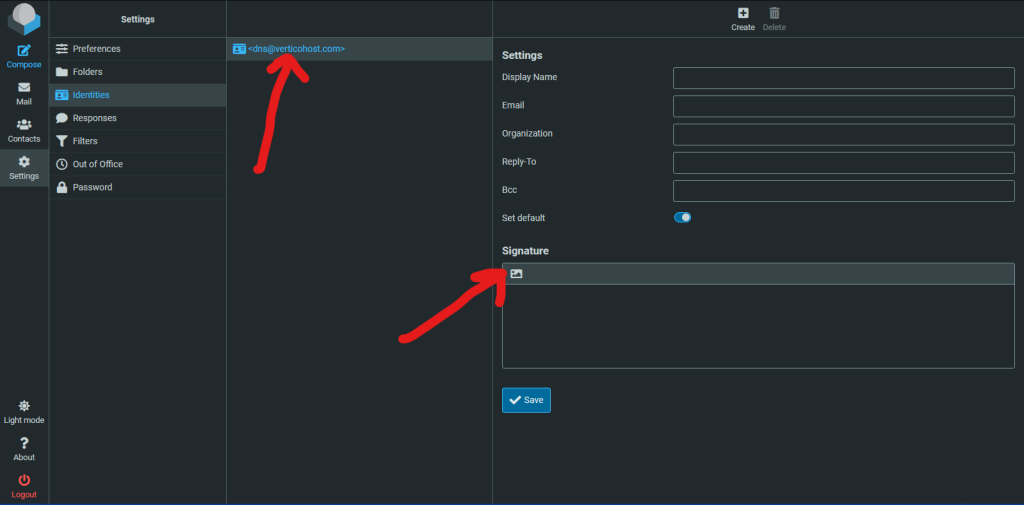
6. For a designed email signature, click that picture icon under signature.
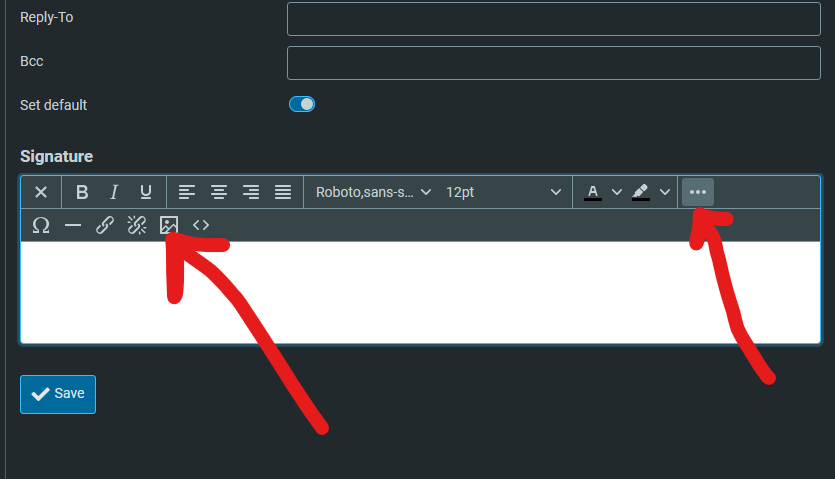
7. Click the 3 dots as shown above and the picture icon as highlighted as well.
8. Upload your email signature design from your device and adjust the size to your preferred size. The allowed maximum image size is 64kb (Ask your graphics designer to reduce the image size for compatibility).
9. After this step, go back to settings then Preferences.
10. Go to Composing Messages and allow “Compose HTML messages” under Main Options.

That’s it


