
- Login to INCONTROL dashboard.
- From the Dashboard – Scroll down to System Info & Files and open File Manager.
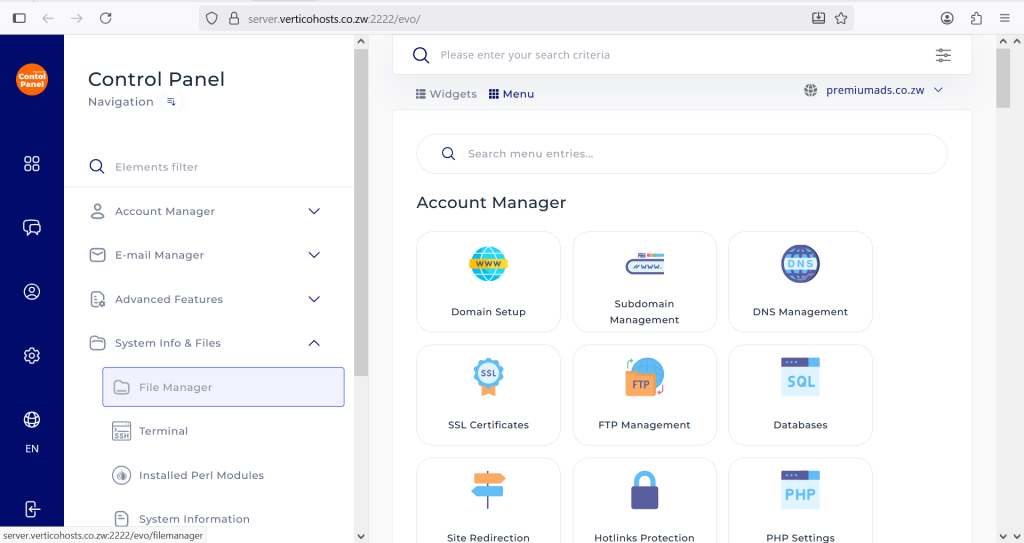
- Under Quick Navigation find and open a folder named: domains
- Click the domain name that you want to upload the website to; eg. premiumads.co.zw
- Open the public_html folder.
- Click the + sign on your far-left side, DRAG & DROP or CLICK TO UPLOAD the zip file that contains your website
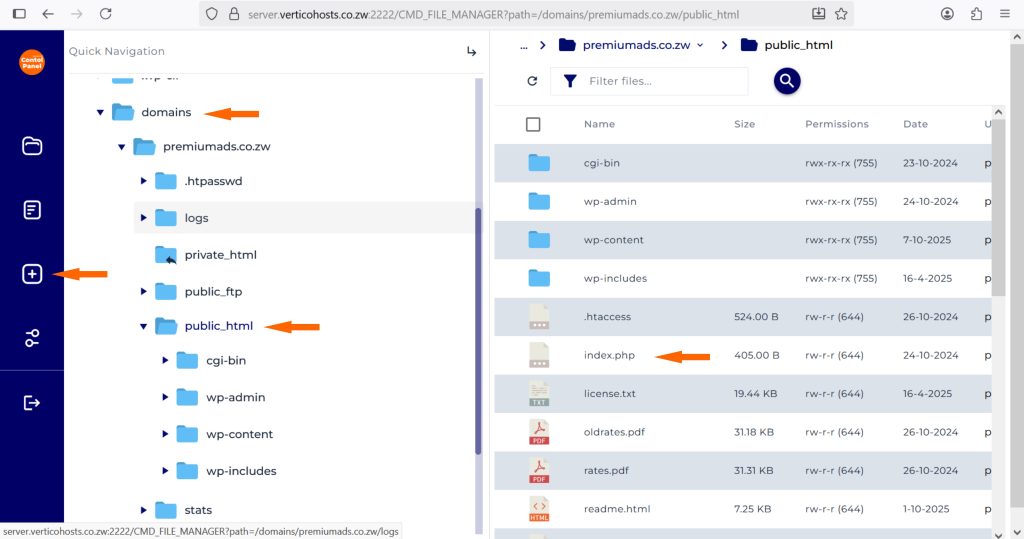
- Extract the website files into the public_html folder (Make sure the index.html or index.php file of your website is moved to public_html not into any other folder).
- That’s it, your website will be up and running.


