Sign in to your account https://vertico.co.zw/docs/account-login/
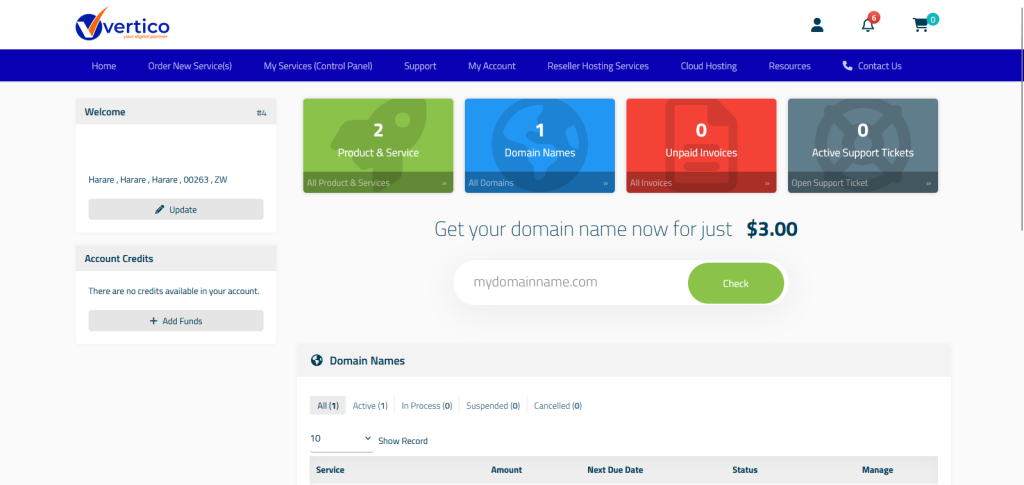
Select Product & Service option to see the active hosting services in your account. You can also select My Services (Control Panel) to access all the services you have in your account.
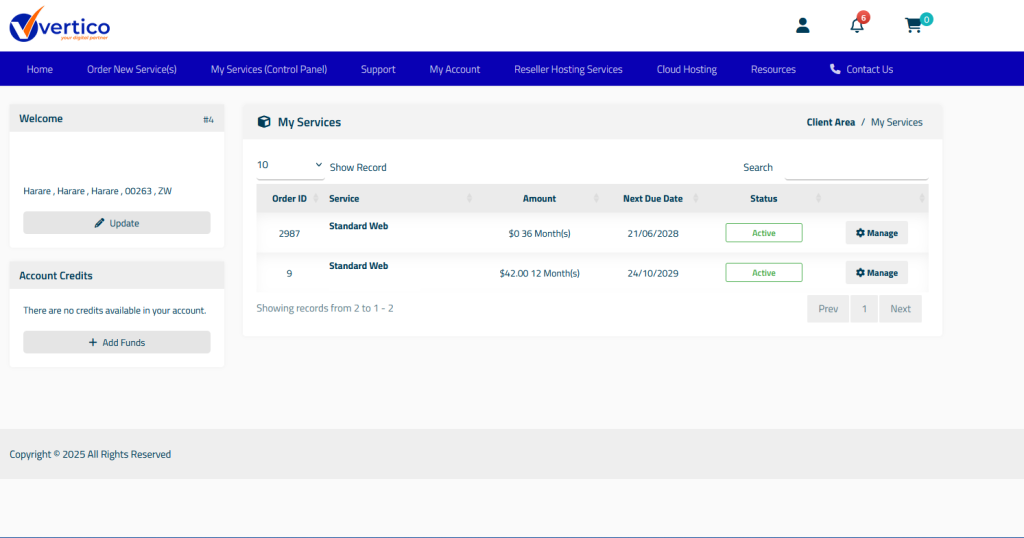
Click Manage on the service that you want to create the emails on.
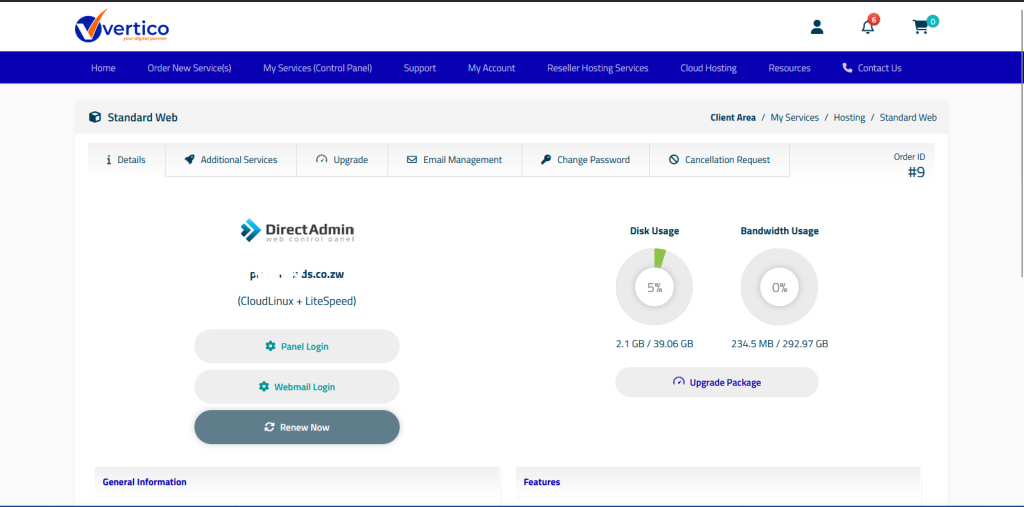
Click Panel Login to access our DirectAdmin Powered Control Panel.
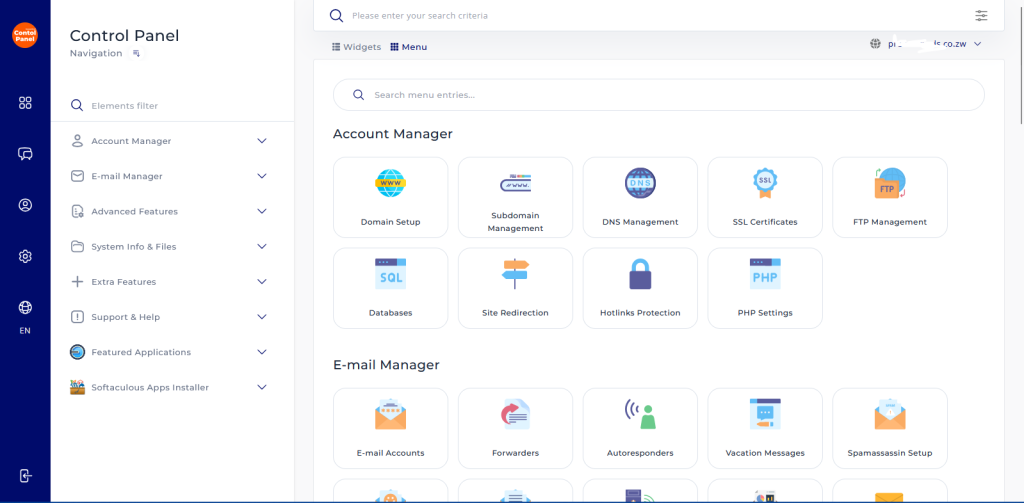
Under Email Manager, Click Email Accounts.
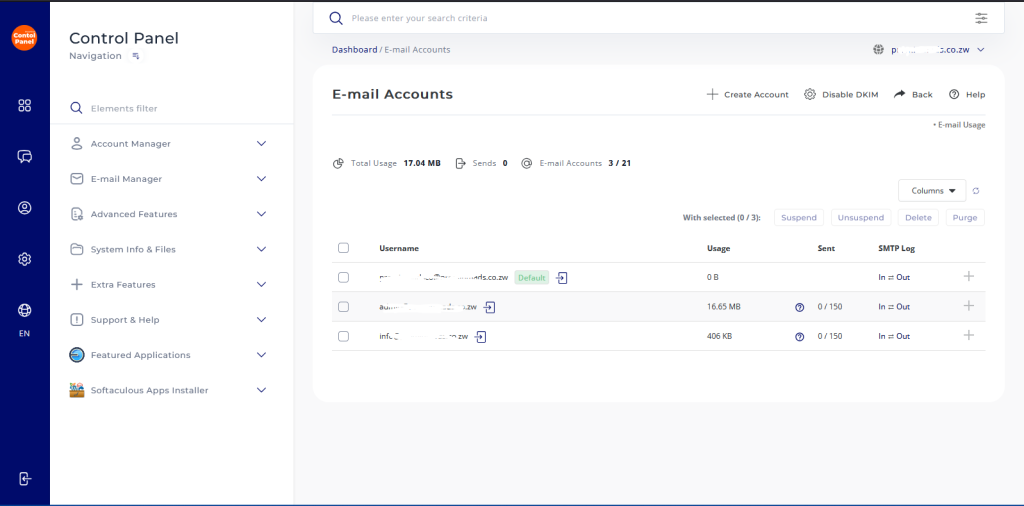
- Click Enable DKIM to add a digital signature to outgoing emails, allowing recipients’ mail servers to verify the message’s authenticity and confirm it hasn’t been tampered with during transit.
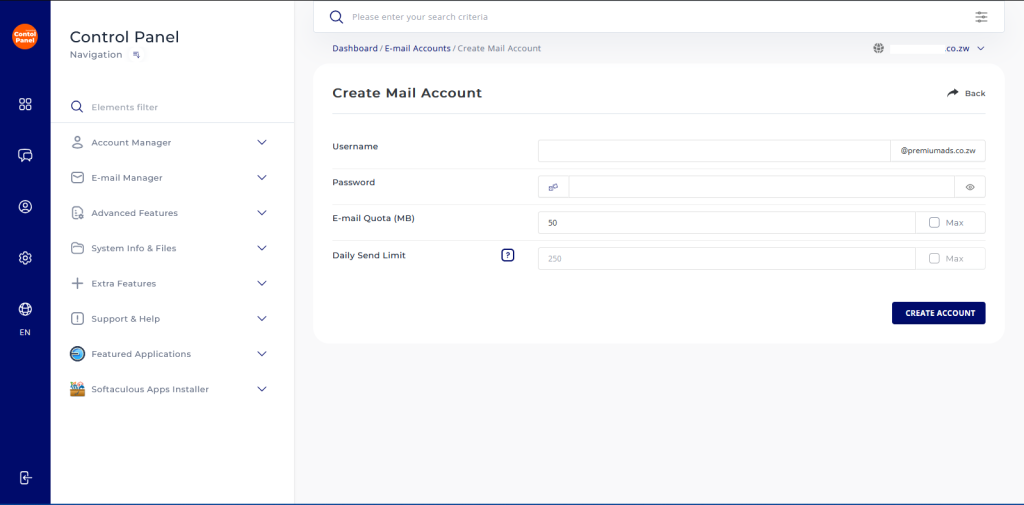
- Click Create Account and enter your preferred email username, password and storage limit for that particular mail box.
- You can also limit the number of emails the mailbox can send per day.