- Login to your Billing Account.
- Under My Account click on My Invoices.
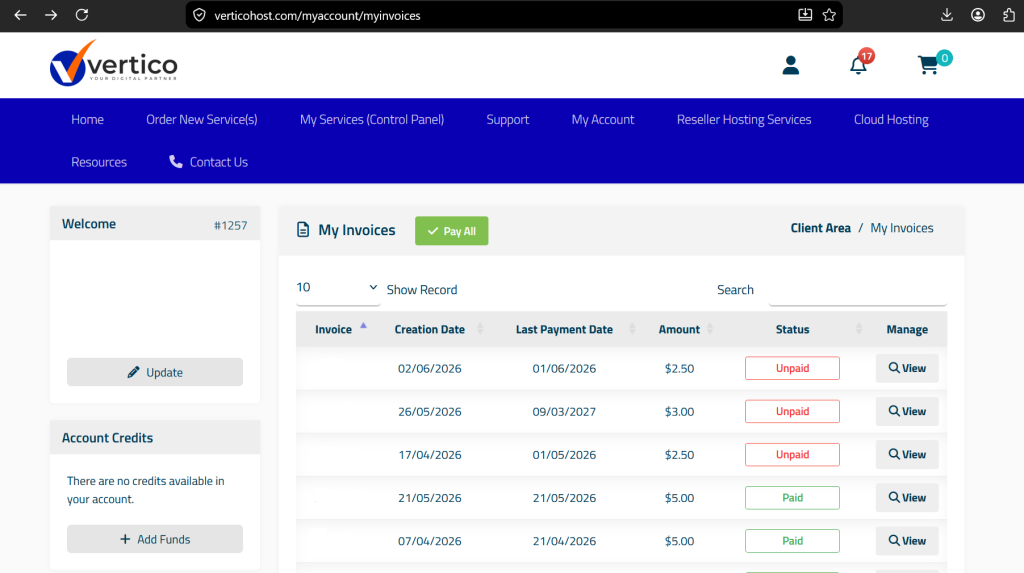
- Click on View on the invoice you want to pay.
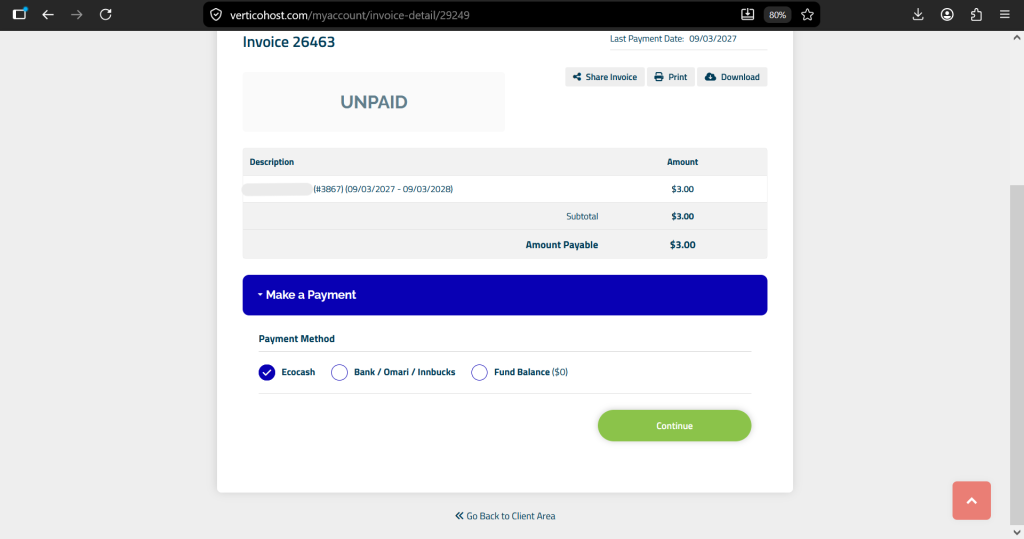
- Choose Payment Method and click Continue.
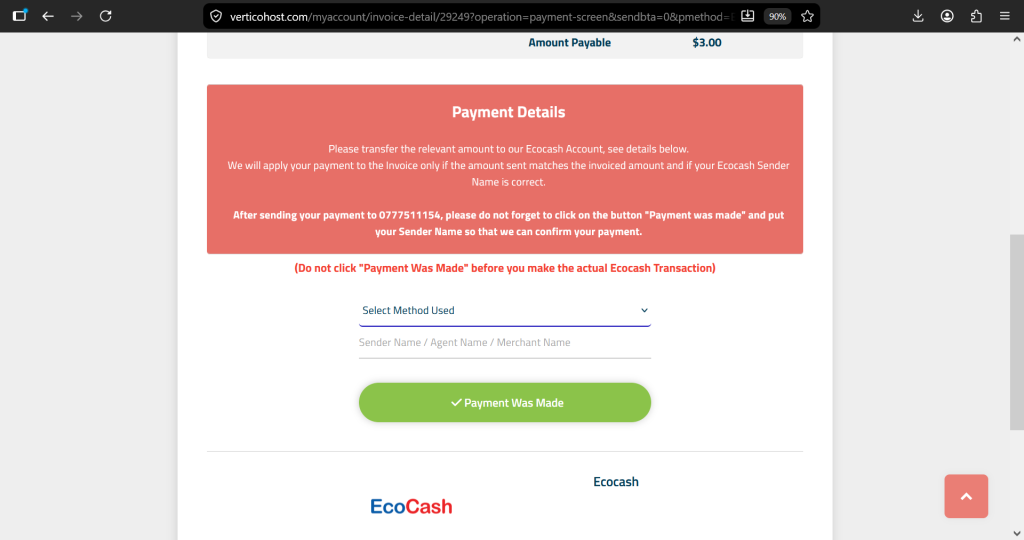
- Make payment using the given details.
- After making the payment Select Method Used and enter the Sender Name / Agent Name / Merchant Name so we can apply your payment.