
- Login to your Control Panel.
- Open E-mail manager and click on E-mails Accounts.
- Find the Email Account you want to change the password and click the “+” sign to access the settings for that particular account as shown below.
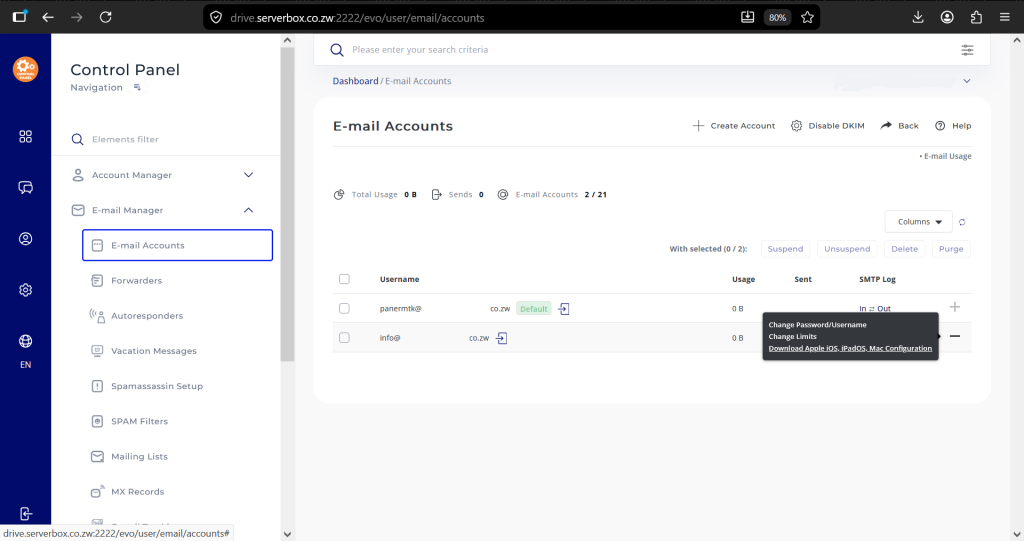
- Click on Change Password/Username.


